
Tired of watching television with the closed captioning on? Does your partner hate watching TV with you because you keep the volume way too loud? Look no further! You don't have to miss out on anything with the following products that will help amplify television sounds.
Benefits of TV Hearing Devices
Hearing loss can rear its ugly head in many ways. Sometimes, it can be difficult to communicate with loved ones. Other times, it can almost be impossible to understand directions. And, hearing loss can also impact a relaxing activity such as watching television.
Television can be an escape from the daily grind providing both entertainment and education. When you can't hear the television, it can become frustrating. Some suffering from hearing loss opt to just turn up the volume on the television, but that can damage hearing even further and disturb others. Others decide to stick to closed-captioning requiring constant eyes on the television screen as to not miss anything. Thankfully, there is a better way.
TV amplification devices will help maintain your hearing without causing any additional damage. Most can also be used independently of the TV meaning that the volume can stay put for anyone else in the room. Everyone can enjoy the TV now.
Understanding Connection Types
TV listening devices connect to your television in different ways, and the connection type affects sound quality, range, and ease of setup.
Infrared (IR)
Infrared systems require a direct line of sight between the transmitter and the headset. They work well in a single room but cannot pass through walls or around obstacles. The main advantage is zero interference from Wi-Fi routers, cordless phones, or neighboring devices. TV Ears brand headsets typically use infrared technology.
Radio Frequency (RF)
RF systems broadcast through walls and around furniture, giving you a range of up to 300 feet in some models. This means you can walk to the kitchen for a snack without missing a word of dialogue. Sennheiser specializes in RF systems, and they tend to deliver richer audio quality for music and movies. The trade-off is potential interference from other wireless devices in your home.
Bluetooth
Bluetooth is convenient if your TV already has it built in, but many older TVs do not. Bluetooth connections can introduce a slight audio delay (called latency), which causes the sound to fall out of sync with the picture. Some newer Bluetooth transmitters use low-latency codecs to minimize this, but it's worth testing before committing.
Differences Between Headphones and Earphones
A lot of the devices you will see on this list will either be distinguished as headphones or earphones. You've probably used the terms interchangeably, but there is a difference.
Headphones
Headphones rest on the outside of your ear. They do not enter the ear canal. They can either go over the head like a headband, covering your ears completely or partially.
Earphones
Earphones are listening devices that are worn inside the ear canal.
Now that you know the difference, it's pretty easy to tell — earphones are in the ears while headphones rest on the head.
Most audiophiles will swear by headphones, claiming that they provide the best sound since the device fully encompasses your ear. However, headphones can be bulky and tiresome to wear for longer periods of time.
Earphones get the sound much closer to your ear. They are also more compact and easier to carry around.
Comfort for Extended Viewing
If you watch television for several hours at a stretch — and many retirees do — comfort becomes just as important as sound quality. Look for headsets that weigh under 2 ounces and use soft ear pads that don't create pressure points. Under-chin designs, like the original TV Ears headset, leave your ears completely open and feel almost weightless. Over-ear designs provide better noise isolation but can get warm after an hour or two. Whichever style you choose, make sure the headband or earpiece is adjustable so it fits your head without squeezing.
Our Top Picks
- TV Ears Original Wireless Headsets #1 Pick
- Sennheiser RS 175 RF Wireless Headphone
- SIMOLIO Digital Wireless Headphones
- Bose Solo 5 TV Soundbar
- TV Ears DUAL Digital Wireless Headset
- Jelly Comb Wireless TV Headphones
- Samsung Level U Bluetooth Wireless Headphones
- ZVOX AccuVoice AV200 Sound Bar
- Pyle Wireless TV Earbuds

TV Ears Original Wireless Headsets
The TV Ears system is designed specifically for TV listening — it amplifies dialogue and voice frequencies so you can hear every word clearly. The headset is lightweight and sits under your chin, leaving your ears open.
Pros
- Voice-clarifying circuitry — dialogue is crisp
- Comfortable chin-style headset
- 120 dB amplification
Cons
- Under-chin design may feel unusual at first

Sennheiser RS 175 RF Wireless Headphone
Premium sound quality from one of the most respected audio brands. The RS 175 uses RF technology for rock-solid connection with no audio delay. Bass boost and surround sound modes included.
Pros
- Superior audio quality
- Bass boost for movies and music
- Comfortable for hours of use
Cons
- Premium price — more than twice the TV Ears Original
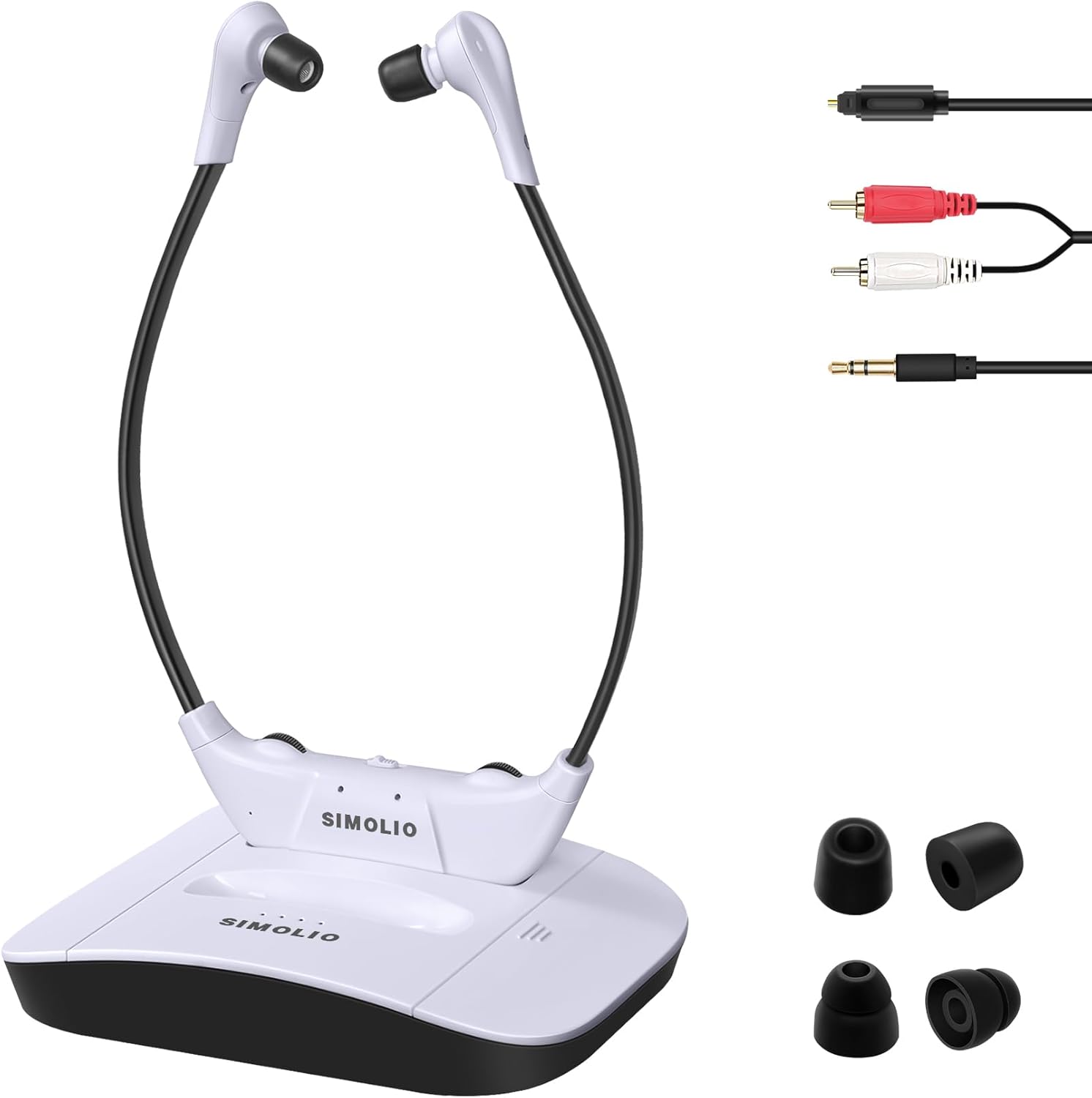
SIMOLIO Digital Wireless Headphones
Affordable wireless TV headphones with an optical transmitter for clear audio. Three listening modes and balance control for hearing differences between ears.
Pros
- Extra-long wireless range (100 ft)
- Optical audio input — universal TV compatibility
Cons
- Sound quality not as refined as Sennheiser

Bose Solo 5 TV Soundbar
If headphones aren't your thing, the Bose Solo 5 soundbar dramatically improves TV dialogue clarity. Compact design, easy setup, and a dialogue mode that enhances voices over background noise.

TV Ears DUAL Digital Wireless Headset
Same great TV Ears technology with two headsets included — perfect for couples. Each headset has its own volume control so you can each listen at your preferred level.

Jelly Comb Wireless TV Headphones
Budget-friendly wireless headphones for TV with comfortable ear cushions and decent sound quality. A solid entry-level option for seniors trying wireless TV listening for the first time.
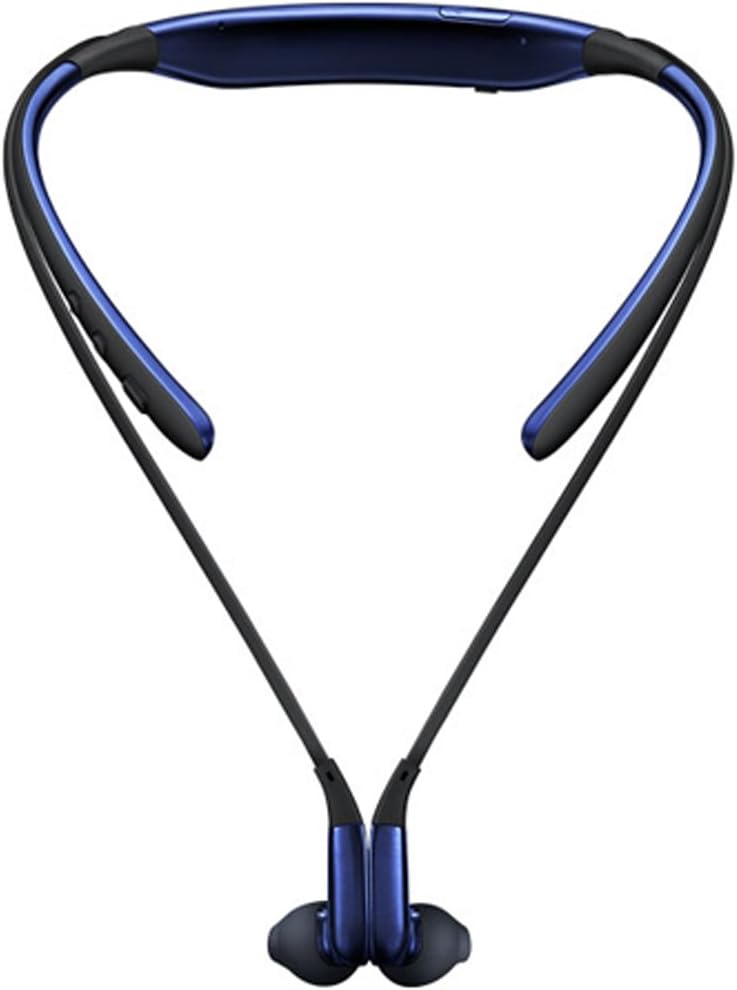
Samsung Level U Bluetooth Wireless Headphones
A comfortable Bluetooth neckband headphone from Samsung. Works with smart TVs that have Bluetooth output. Lightweight neck band design is easy to wear for long periods.

ZVOX AccuVoice AV200 Sound Bar
A soundbar specifically designed for hearing-impaired viewers. The AccuVoice technology lifts voices above background noise. Simple setup — just one cable. Hearing aid compatible.

Pyle Wireless TV Earbuds
Compact wireless earbuds with a charging base that doubles as the TV transmitter. Good sound for the price and a discreet option for seniors who don't want over-ear headphones.
Buying Guide
Final Editorial Verdict
TV Ears — Things to Consider
Be sure to keep in mind what you're trying to accomplish when searching for the perfect TV amplification. Do you need to make sure that others can listen to the television while you're plugged into the headphones? Do you need to have a far range of hearing away from the television? How long do you plan to watch TV? These are all important questions to ask before making this purchase.
How to Use TV Ears
Now that you've made your purchase, you'll need to be prepared how to use these TV listening devices once they arrive. Many of the options on this list come with an audio plug that allows you to seamlessly plug the transmitter into the television. If not, there will be instructions on how to pair or sync the transmitter up to the television.
Most of the charging bases will need to be located close to the television so that the wires can easily reach. You don't want to be tripping over the wires just to have the charging dock closer to the couch.
Be sure to charge up your device fully once it has been received. This is important to promote a long battery life. And, you don't want the headphones dying during the best part of the show.
Once everything has been set up and charged it's time to listen. Take your device — whether you opted for the headphones, earphones, or speakers and bring it over to where you're sitting by removing it from the charging base. Simply turn them on and put them on.
Many of the options allow for you to change your volume completely independently from the actual TV so your loved ones can also enjoy the show next to you without having to listen at your preferred volume. And, when you're watching late at night or just don't want to disturb anyone, you can completely turn down the volume on the TV without interrupting your personal volume.
A word to the wise — be sure to charge your TV ears while not in use. Nothing is worse than settling down to watch primetime TV to have the headphones run out of juice within a few minutes.
Whatever your favorite show is, there is bound to be an option on this list to help you watch it without struggling to hear.